Understanding the problem with the product manager
The product manager provided an overview of the problem we are addressing with this project. Their previous research revealed that our users frequently ask three key questions:
01
What's working?
Users are trying to understand which of the selling strategies they're currently implementing are paying off.
02
What's NOT working?
Users want to know what they're currently doing that is not worthwhile, or is even negatively impacting their sales.
03
What else should I do?
Users are unsure where they should focus their attention, how to optimize their account, or what next steps they should take for growth.
Based on user feedback, our product does a pretty good job at providing insights and reporting on the first two questions. So our goal for this project is to tackle this third question - What else should users do to fix issues, optimize their account, and grow?
Who are we trying to serve?
Two existing personas were identified as users to prioritize with this design based on the goals provided by product management: internal Client Strategy Managers and Self-Service Sellers.


Let's talk to the users
I interviewed 8 Client Strategy Managers to understand what they and their sellers would expect from a recommendations feature. See key themes, insights, and opportunities that came up throughout the interviews.
8 User Interviews

Condensing the interview findings
I jumped into FigJam with the Product Manager to brainstorm around different themes that came up in the interviews.

What can we accomplish in the given timeline?
We left that brainstorm with SO many ideas! Narrowing down the product requirements is always a challenge, but we managed to prioritize features into MVP and Post MVP buckets to define a current and future plan of action.


Playing with basic layout
Although we had established some requirements, the overall approach was still undefined. I developed a few basic wireframe options to explore the placement, layout, and organization of the recommendations.
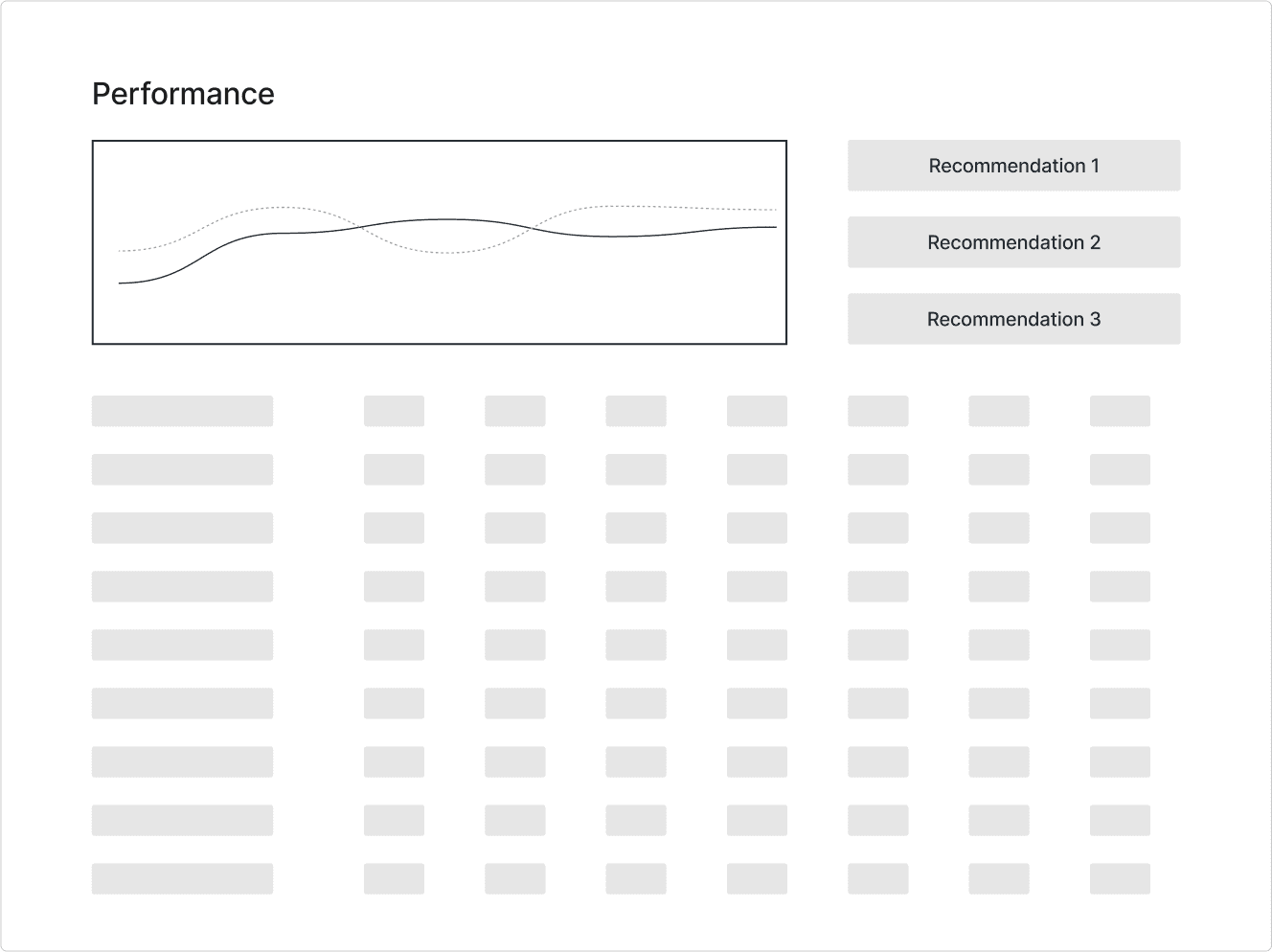
Option 1
Incorporate a few recommendations on an existing "Performance" page in our application, next to a chart and above a detailed grid.
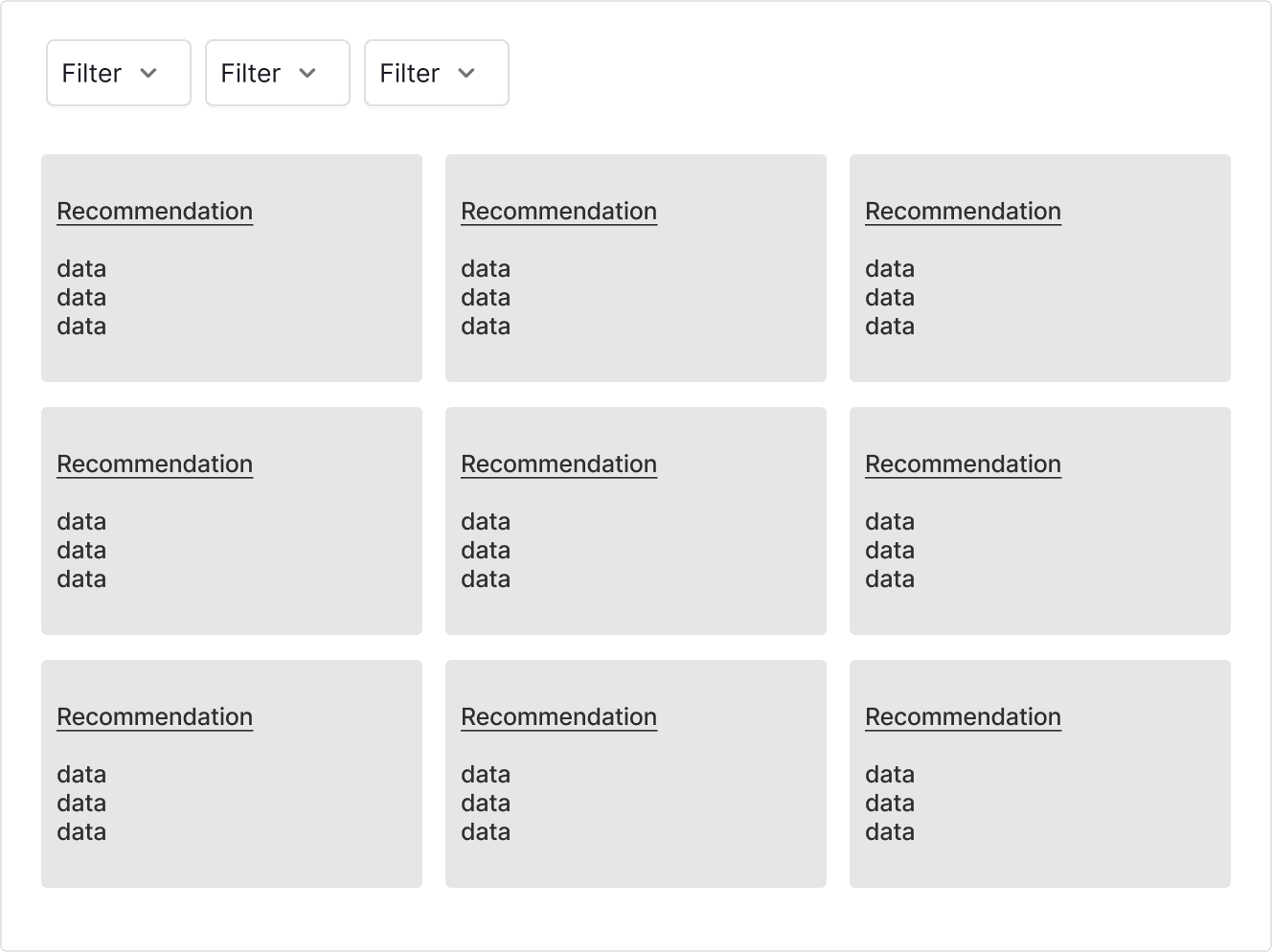
Option 2
Create a new page with ALL of the recommendations in a card view with lots of filtering options.
Option 3
Create a new page with categorical sections and corresponding chart data, incorporating the recommendations in the relevant categories.

Key stakeholders couldn't decide! Time to increase the fidelity.
When presenting the initial layout options, key stakeholders expressed interest in each idea and requested I develop each further. This facilitated a deeper discussion of the pros and cons associated with each option.

Feedback
Option 1
👍
This is already a high-traffic page, so users would definitely find the new rec's
😕
The chart normally takes up the full width of the page, users may not like that it's smaller
😕
This page is already overloaded with data, information, and configurations - continuing to add to it could cause cognitive overload

Feedback
Option 2
👍
User can browse through lots of recommendations at once
👍
Less organized, but more custom - users can filter to what's most important to them
👍
This is the all-inclusive view, but we could also show the recommendations in relevant areas of the app
😕
It could be a challenge to get users to a brand new page

Feedback
Option 3
👍
Charts might help back up the reason for the recommendation
😕
Sections are organized, but what if i'm a user who will never care about Advertising recommendations?
😕
The charts are a repeat of the data elsewhere in the app
Option 2 takes the cake!
After evaluating all options, stakeholders unanimously agreed that option 2 met the project goals and would serve as an excellent minimum viable product (MVP). This approach will also provide a solid foundation for future expansion in fast-follow iterations.
WINNER!
Here's why we went in this direction:
This all-inclusive view allows users to browse through all of the recommendations we have for them in one place
Sorting and filtering options will allow users to customize the view for their area of interest/expertise
A future iteration might surface particular recommendations in other relevant areas of the app
We can focus on the quality of the recommendations and conduct user testing on a beta release before incorporating them on existing high-traffic pages
Refining the recommendation cards
After we figured out the design direction and strategy, we focused in on the recommendation card content and design.

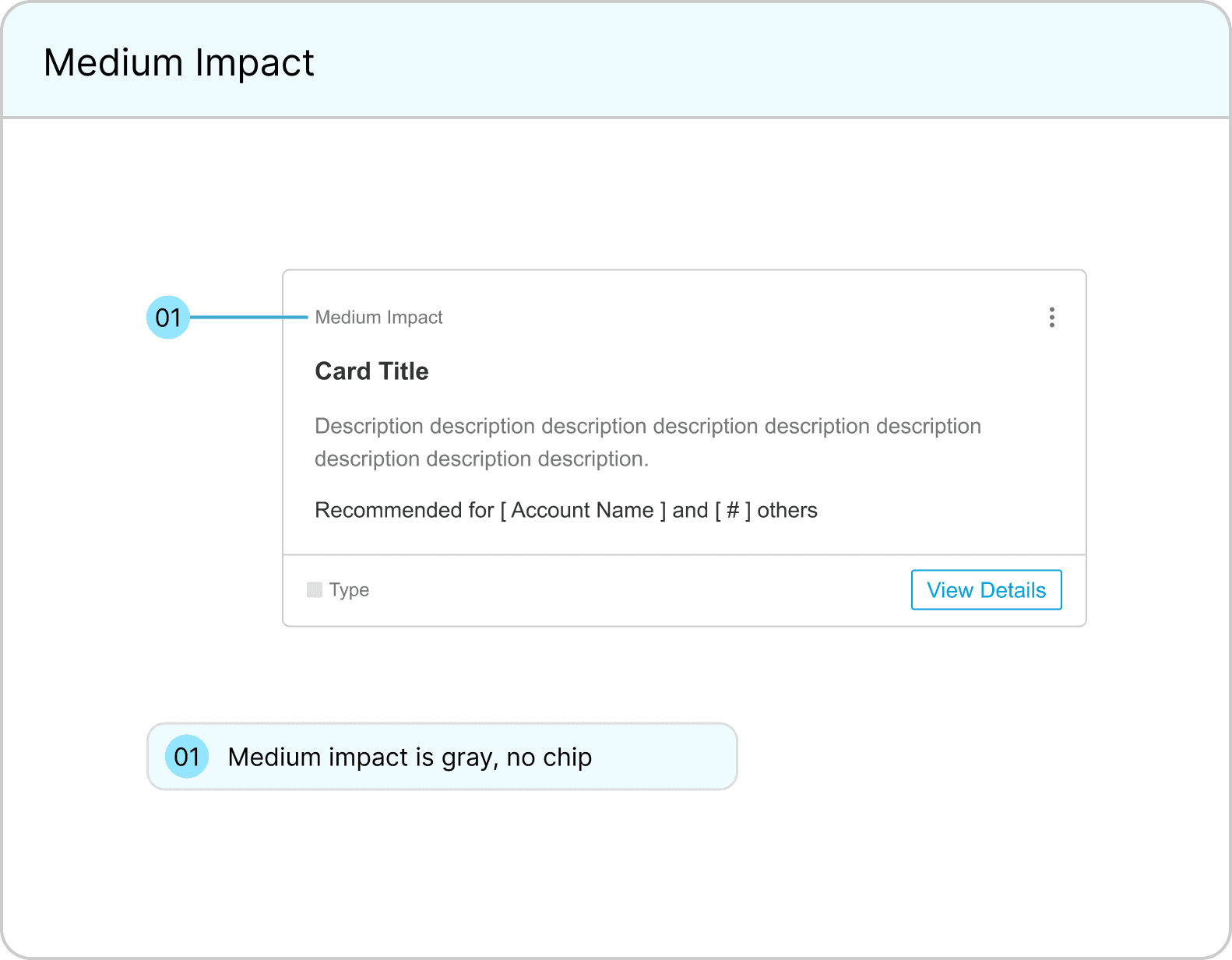
Specifications
A recommendation card includes:
Impact Rating
Title
Description
Account it's recommended for
Type
CTA Button
Kebab Menu (for dismiss action)




Creating the final screens
Product leadership was so enthusiastic about the designs that they advocated for this page's placement in the primary navigation! They see this feature as essential to our mission of helping sellers grow their sales.

Final Screens
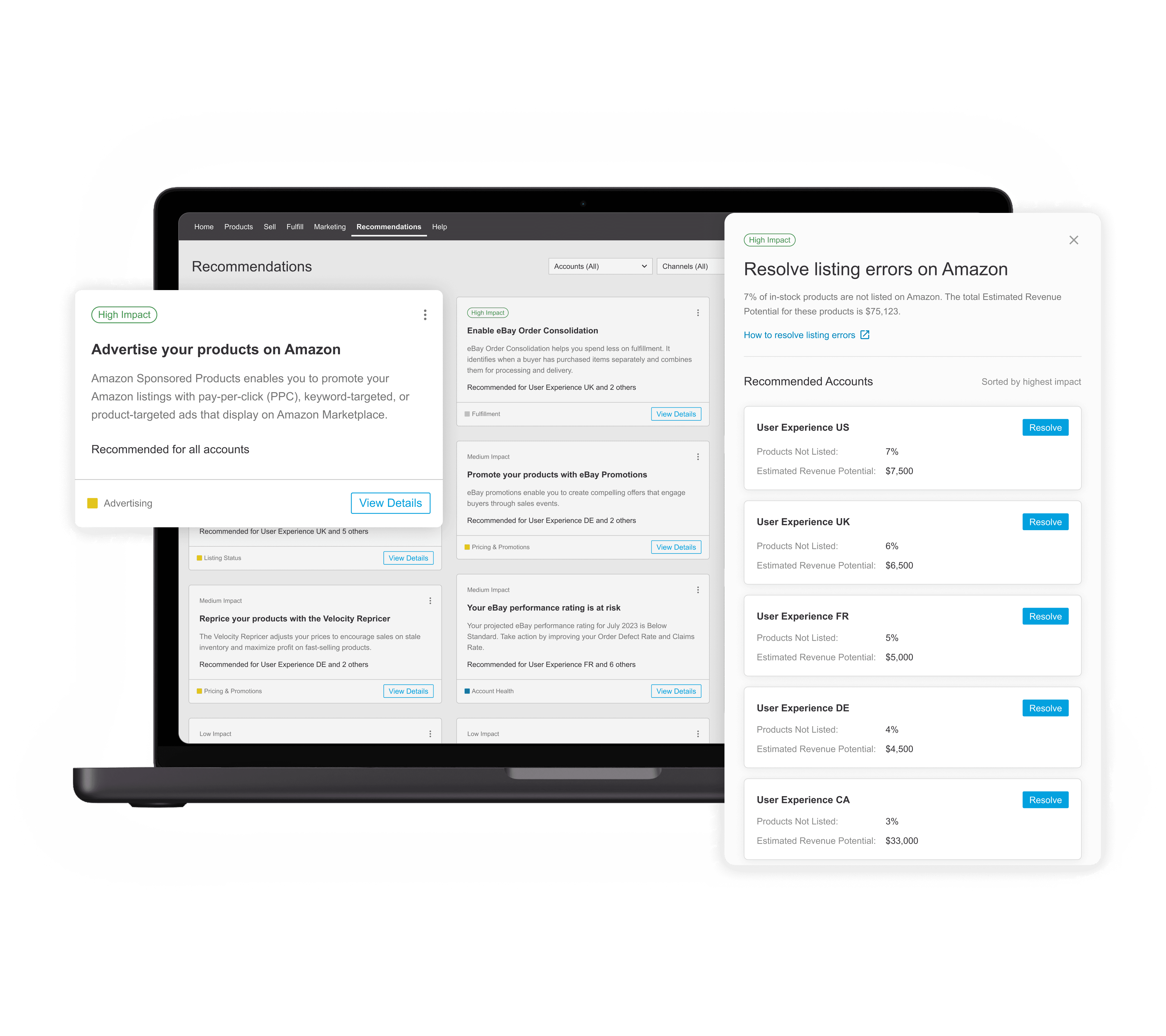
Main Page
Recommendations are tailored to the specific user
Cards contain seller-specific data to explain why it's important
Several filtering capabilities so users can decide where to focus
An impact rating to help users prioritize
A callout for our top recommendation
Users can view all recommendations in one place
Final Screens
Actionable Sidecar
Shows all of the accounts the recommendation applies to
A CTA on each account that takes the user directly to the page or workflow to take action
Specific data for each recommended account to help the user prioritize
A help article link where the user can learn more

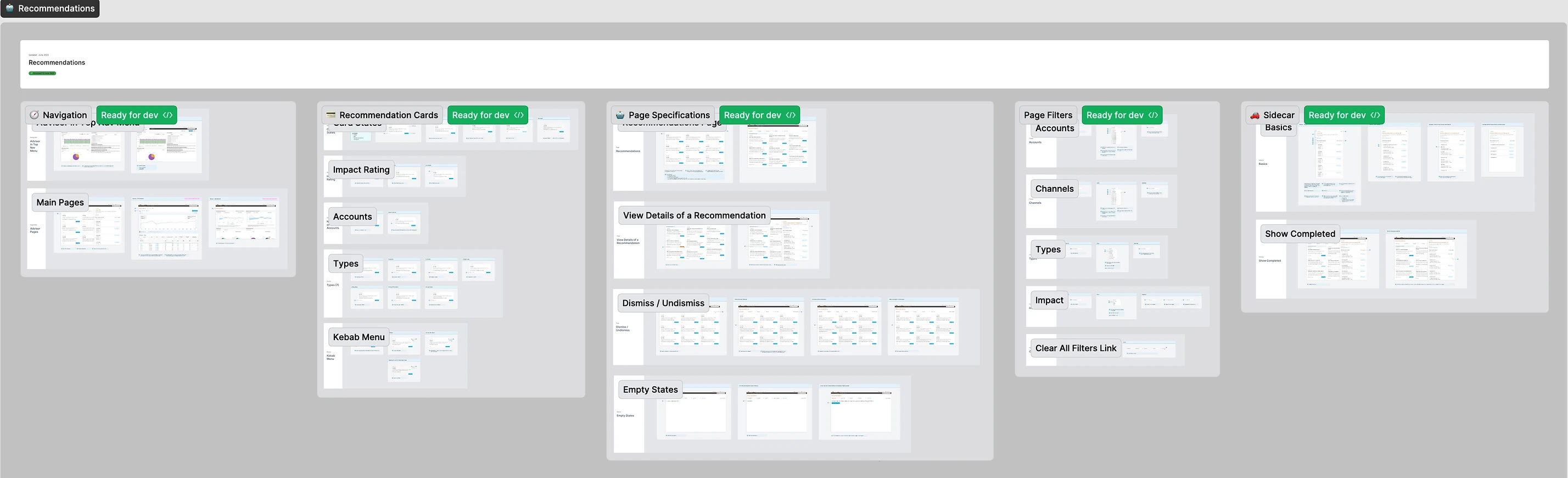
Design specifications for engineering
As usual, I prepared detailed specifications with notes on the design and user experience for the developers.
👀 Coming soon...
While having all recommendations in one place is beneficial, we aim to integrate them into other relevant areas of the application in the future. For example, we might consider something like this...

This design was just a V1 - there’s a lot more we plan to add! Future enhancements (some already in progress) include:
Displaying recommendations across relevant pages throughout the product
Developing user flows to guide users in acting on recommendations
Introducing task management features to track in-progress and completed recommendations
Showing users the impact of following recommendations, such as GMV growth and other relevant metrics
Implementing notification options, including by recommendation type
Allowing users to share recommendations with others (particularly useful for CSMs to send recommendations to their sellers)
Adoption Metrics
This project turned out to be one of the most successful releases in the company's history, generating over $50 million in GMV for our users within just 3 months!
$50 Million +
total gross merchandise value (GMV) increase from users
1,287
total active users on the page daily
2,000+
total recommendations our users completed
Feedback from users
Here's what some of our largest customers have said about these recommendations:
"[ Customer ] has used the recommendations to resolve errors and are actively using the page daily for points on what to work on."
"[ Customer ] thinks the information is very clear and concise and are a big fan of the "impact" measurement."
"[ Customer ] is super happy about how detailed and specific the recommendations are and feel it has already been super helpful in their prep for cyber week!"
Reflections
This feature became one of the most successful and popular releases in the company's history! It was a fantastic experience to work on a project that involved C-level executives asking questions, providing feedback, and requesting design updates throughout. I'm incredibly proud of both myself and the team for adopting a strategic, iterative approach. By focusing on a V1 release, we were able to deliver quickly and refine the product based on real user needs, rather than chasing an overly ambitious vision.
A HUGE shoutout goes to the Product Manager and Engineering teams for developing high-quality recommendations and algorithms tailored to individual accounts. Another big thank you to the Client Strategy Managers and Sellers who participated in interviews and brainstorming sessions, guiding the project in the right direction. 💙